Image Generation
The source for the commands on this page is
dictk's ownrosta,checkerboard, andastronautsubcommands — seedictk --help.
Note: the images embedded on this page are rendered as PNG (
--format png), notdictk's default TIFF. Browsers don't natively render TIFF in<img>tags, so a TIFF embedded here simply wouldn't display.Among the alternatives, PNG also wins on its own merits: it is lossless, whereas JPG's compression tends to smear hard edges and speckle-pattern detail (for the 200x200 checkerboard on this page: TIFF 40,256 bytes, JPG 6,760 bytes, PNG only 418 bytes — JPG is actually larger than PNG here, because its block-based compression is a poor fit for hard-edged content like a checkerboard). SVG doesn't help either: since there's no vector structure to trace,
dictk's SVG output just wraps that same PNG in a base64-encoded XML container, which comes out to 809 bytes here — roughly double the raw PNG for no rendering benefit.TIFF remains
dictk's command-line default, since it's the lossless, uncompressed format conventionally used for DIC and other scientific-imaging workflows.
CLI vs. API: the Command Line Interface (CLI) subcommands on this page (
dictk rosta,dictk checkerboard,dictk astronaut) write an image file to disk — that's their whole job. The corresponding Python functions,dictk.rosta,dictk.checkerboard, anddictk.astronaut, take the same parameters but perform no file I/O: they return a NumPy array only. That keeps the Python API composable in a functional style — arrays can be piped through further functions (e.g.combinebelow) before anything touches disk — and callers who do want a file calldictk.image.writeexplicitly, as a separate step. See each function's docstring (rendered in the API reference) for details.
Rosta
We create a synthetic example speckle pattern with the built-in rosta
image generator. It implements the Rosta algorithm described by
Olufsen (Olufsen SN,
Andersen ME, Fagerholt E. muDIC: An open-source toolkit for digital image
correlation. SoftwareX. 2020 Jan 1;11:100391, Algorithm 1, page 6,
repository).
The help text for rosta:
dictk rosta --help
returns
usage: dictk rosta [-h] [--dot-size DOT_SIZE] [--density DENSITY]
                   [--smoothness SMOOTHNESS] [--random-seed RANDOM_SEED]
                   [--output OUTPUT] [--format {tiff,png,jpg,svg}]
                   [width] [height]

positional arguments:
  width                 Image width in pixels (int), default: 200.
  height                Image height in pixels (int), default: 200.

options:
  -h, --help            show this help message and exit
  --dot-size DOT_SIZE, -s DOT_SIZE
                        Dot pattern size factor, 0.0 to 100.0 (float),
                        default: 4.0.
  --density DENSITY, -d DENSITY
                        Dot pattern density, 0.0 to 1.0 (float), default:
                        0.32.
  --smoothness SMOOTHNESS, -m SMOOTHNESS
                        Smoothness factor, 0.0 to 100.0 (float), default: 2.0.
  --random-seed RANDOM_SEED, -r RANDOM_SEED
                        Seed for reproducible pattern generation (int),
                        default: 42.
  --output OUTPUT, -o OUTPUT
                        Output directory (path), default: current directory.
  --format {tiff,png,jpg,svg}, -f {tiff,png,jpg,svg}
                        Output image format (str), default: tiff.
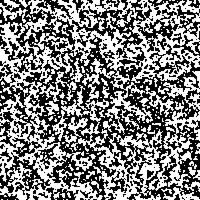
Create a synthetic image, 200 by 200 pixels, 50% dot density:
dictk rosta 200 200 --density 0.5 --format png -o .
Saved image: rosta_200w_by_200h_dot_4.0_den_0.5_smo_2.0.png
Note that the file name is automatically chosen based on the input parameters.
The result:
The Python equivalent returns the same pixel data as a NumPy array, with no file written:
import dictk

pattern = dictk.rosta(width=200, height=200, density=0.5)
shape=(200, 200), dtype=uint8
Checkerboard
To make it easier to manually identify discrete points in the speckle
pattern, dictk can also generate a checkerboard test image.
The help text for checkerboard:
dictk checkerboard --help
returns
usage: dictk checkerboard [-h] [--count-x COUNT_X] [--count-y COUNT_Y]
                          [--output OUTPUT] [--format {tiff,png,jpg,svg}]
                          [width] [height]

positional arguments:
  width                 Image width in pixels (int), default: 200.
  height                Image height in pixels (int), default: 200.

options:
  -h, --help            show this help message and exit
  --count-x COUNT_X, -x COUNT_X
                        Number of rectangles along the width (int), default:
                        8.
  --count-y COUNT_Y, -y COUNT_Y
                        Number of rectangles along the height (int), default:
                        8.
  --output OUTPUT, -o OUTPUT
                        Output directory (path), default: current directory.
  --format {tiff,png,jpg,svg}, -f {tiff,png,jpg,svg}
                        Output image format (str), default: tiff.
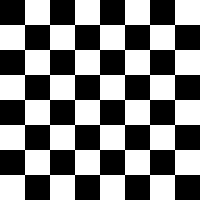
Create a synthetic image, 200 by 200 pixels:
dictk checkerboard 200 200 --format png -o .
Saved image: checkerboard_200w_by_200h_8x8.png
The Python equivalent, again returning an array with no file written:
import dictk

board = dictk.checkerboard(width=200, height=200)
shape=(200, 200), dtype=uint8
Astronaut
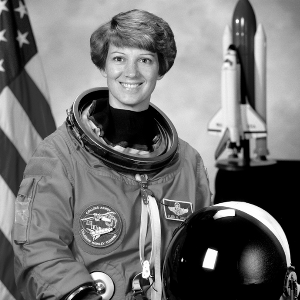
Unlike rosta and checkerboard, which procedurally generate a fresh
synthetic pattern from parameters, astronaut loads a bundled real-world
photograph and converts it to grayscale — useful for exercising dictk's
imaging utilities against something other than a synthetic pattern. The
source is a NASA portrait of astronaut Eileen Collins, from the NASA Great
Images database ("No known copyright restrictions, released into the
public domain."). Its native resolution is 512x512; passing width/
height other than that resizes the source image rather than generating a
new one at that size.
The help text for astronaut:
dictk astronaut --help
returns
usage: dictk astronaut [-h] [--output OUTPUT] [--format {tiff,png,jpg,svg}]
                       [width] [height]

positional arguments:
  width                 Image width in pixels (int), default: 512.
  height                Image height in pixels (int), default: 512.

options:
  -h, --help            show this help message and exit
  --output OUTPUT, -o OUTPUT
                        Output directory (path), default: current directory.
  --format {tiff,png,jpg,svg}, -f {tiff,png,jpg,svg}
                        Output image format (str), default: tiff.
Save it at 300 by 300 pixels — smaller downscales from the native 512x512 start to lose too much detail:
dictk astronaut 300 300 --format png -o .
Saved image: astronaut_300w_by_300h.png
The Python equivalent, again returning an array with no file written:
import dictk

photo = dictk.astronaut(width=300, height=300)
shape=(300, 300), dtype=uint8
Combining into a reference image
combine works on any
two grayscale images of the same shape, so it isn't limited to combining
the two synthetic images below —
Speckle + Astronaut further down combines rosta
with a real photograph instead.
Speckle + Checkerboard
We combine the rosta speckle pattern with the checkerboard into a
reference image checkerboard0 by averaging their pixel values and
normalizing back to uint8:
from dictk.image import combine, read, write

speckle = read(path="rosta_200w_by_200h_dot_4.0_den_0.5_smo_2.0.png")
checker = read(path="checkerboard_200w_by_200h_8x8.png")
checkerboard0 = combine(a=speckle, b=checker)
write(arr=checkerboard0, path="checkerboard0.png")
Saved image: checkerboard0.png
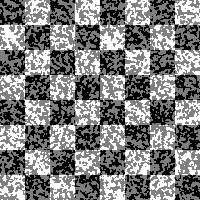
Because both inputs are averaged and rescaled together, the checkerboard's squares stay clearly black or white while the speckle pattern shows up as gray texture within them:
- Where the checkerboard is black, speckle white maps to gray and speckle black stays black.
- Where the checkerboard is white, speckle black maps to gray and speckle white stays white.
That trimodal structure is visible in the pixel-intensity histograms below:
speckle and checkerboard are both roughly bimodal (dark/light), while
checkerboard0 picks up a distinct middle hump from the
black/white-speckle-on-opposite checkerboard combinations.
from dictk.image import read
from dictk.plot import histogram_save

speckle = read(path="rosta_200w_by_200h_dot_4.0_den_0.5_smo_2.0.png")
checker = read(path="checkerboard_200w_by_200h_8x8.png")
checkerboard0 = read(path="checkerboard0.png")

histogram_save(arr=speckle, path="rosta_histogram.png")
histogram_save(arr=checker, path="checkerboard_histogram.png")
histogram_save(arr=checkerboard0, path="checkerboard0_histogram.png")
Saved histograms: rosta_histogram.png, checkerboard_histogram.png, checkerboard0_histogram.png
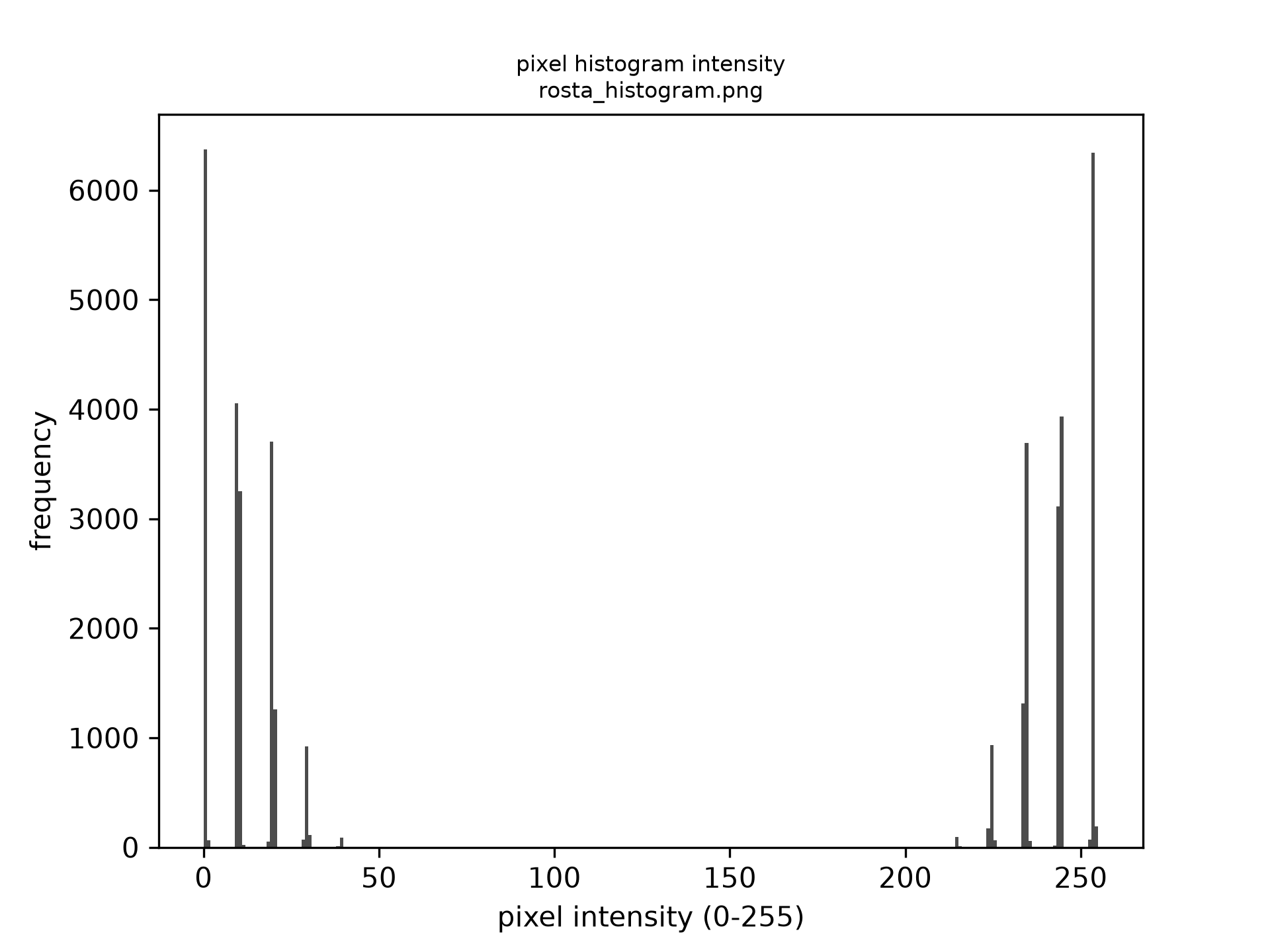 (a)
(a)
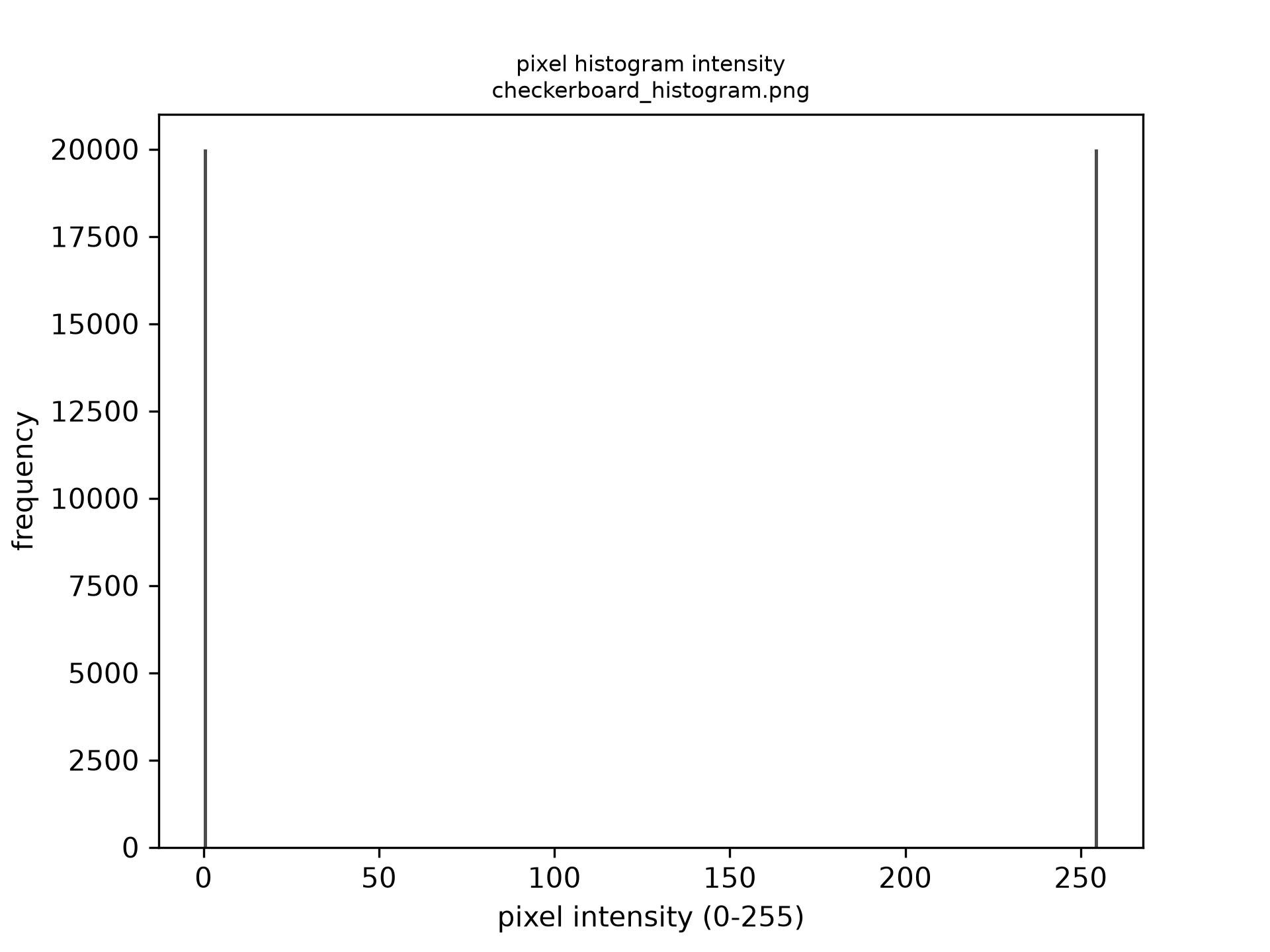 (b)
(b)
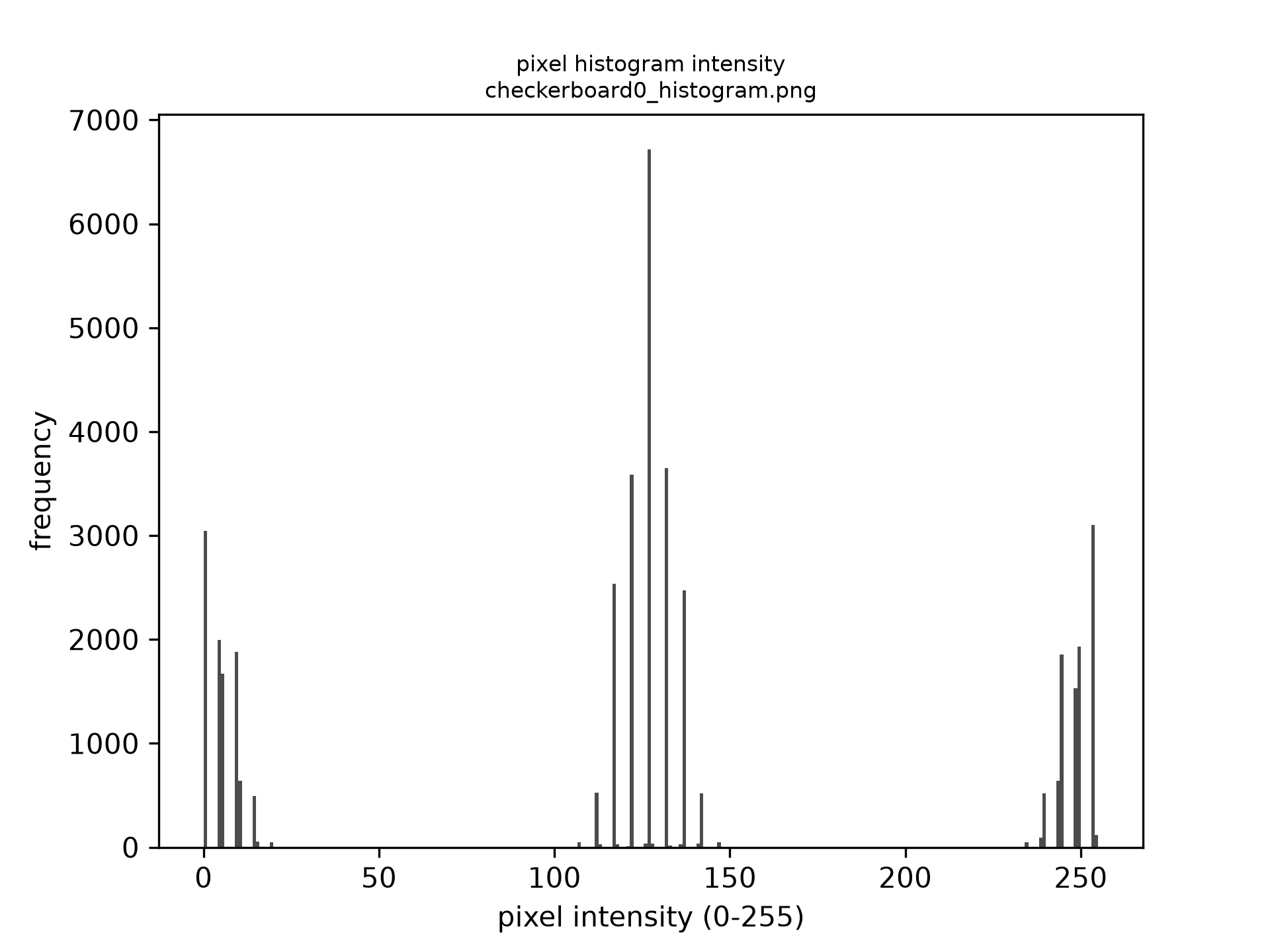 (c)
(c)
Speckle + Astronaut
The checkerboard above is a stand-in for an actual specimen — in a real
DIC setup, the speckle pattern is applied directly to the surface being
measured, not swapped in from another generator. Combining rosta with
the astronaut photo instead of the checkerboard is closer to that: a
speckle pattern overlaid on a realistic, non-uniform grayscale image.
This time the two source images are never written to disk at all — both
dictk.rosta and
dictk.astronaut return arrays directly,
which combine accepts
as-is, so only the combined result astronaut0 is saved:
import dictk
from dictk.image import combine, write

speckle = dictk.rosta(width=300, height=300, density=0.5)
photo = dictk.astronaut(width=300, height=300)
astronaut0 = combine(a=speckle, b=photo)
write(arr=astronaut0, path="astronaut0.png")
Saved image: astronaut0.png
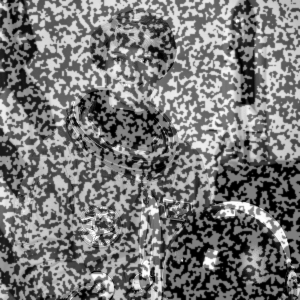
Both checkerboard0.png and astronaut0.png are also bundled in
src/dictk/data/, alongside the source astronaut.png, so later examples
can reuse them without regenerating from scratch each time.