Image Transformation
Image deformations, also called transformations in the computer vision literature (see Szeliski1), fall into the categories shown below:
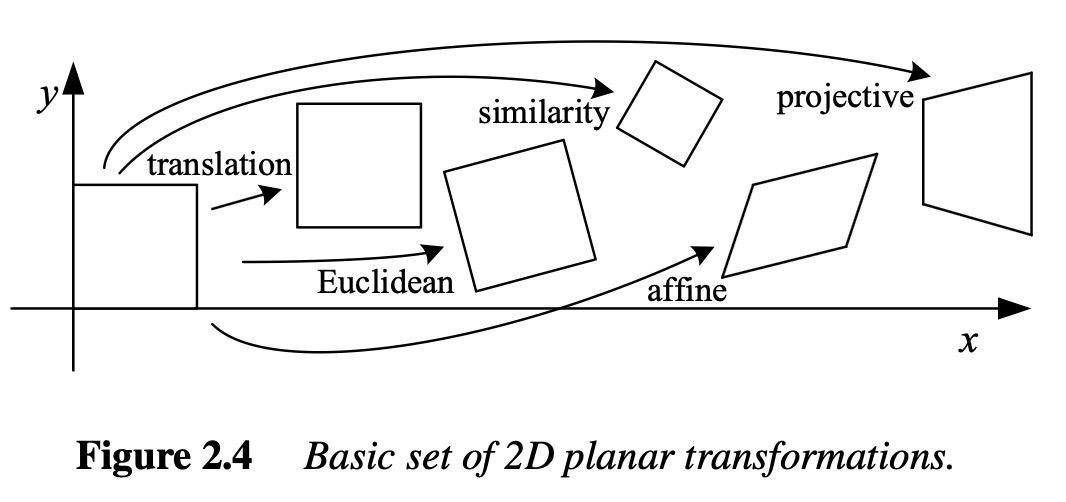
Each category preserves a different, nested set of geometric properties — every property a category preserves is also preserved by every more restrictive category to its left:
| Property | Translation | Euclidean | Similarity | Affine | Projective |
|---|---|---|---|---|---|
| Straight lines stay straight | Yes | Yes | Yes | Yes | Yes |
| Parallel lines stay parallel | Yes | Yes | Yes | Yes | No |
| Angles preserved | Yes | Yes | Yes | No | No |
| Lengths/distances preserved | Yes | Yes | No | No | No |
| Absolute orientation preserved (no rotation) | Yes | No | No | No | No |
Pure Translation (Rigid Body Motion)
As the simplest of the categories above — no change in shape or size —
dictk.image.translate shifts
every pixel by a fixed displacement. This example shifts the image by
dx=-60 pixels in x and dy=+80 pixels in y, representing rigid-body
motion where the material moves without deforming.
import dictk
from dictk.image import translate, write

photo = dictk.astronaut(width=300, height=300)
write(arr=photo, path="astronaut_translate_original.png")

translated = translate(arr=photo, dx=-60, dy=80)
write(arr=translated, path="astronaut_translate_rigid_body.png")
Saved: astronaut_translate_original.png, astronaut_translate_rigid_body.png
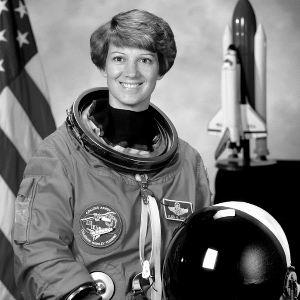 (a)
(a)
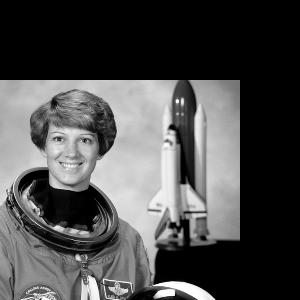 (b)
(b)
Pure Rotation
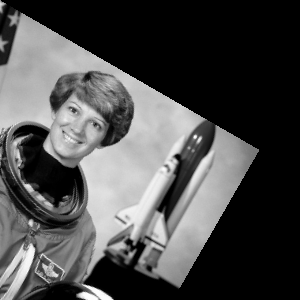
A 30° counterclockwise rotation, another rigid-body motion that preserves
distances and angles.
dictk.image.rotate pivots on the
image's top-left corner (0, 0), consistent with stretch and
translate's pivot choice in this codebase — unlike the more typical
"object spins in place" rotation about the center, most content swings
away from that fixed corner, similar to a door on a hinge.
import dictk
from dictk.image import rotate, write

photo = dictk.astronaut(width=300, height=300)
write(arr=photo, path="astronaut_rotate_original.png")

rotated = rotate(arr=photo, angle=30.0)
write(arr=rotated, path="astronaut_rotate_30deg.png")
Saved: astronaut_rotate_original.png, astronaut_rotate_30deg.png
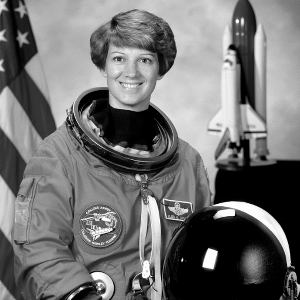 (a)
(a)
 (b)
(b)
X-Axis Stretch (Extension)
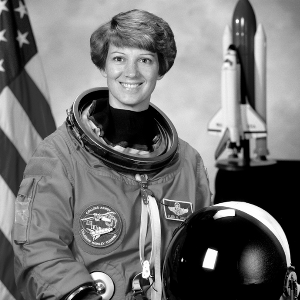
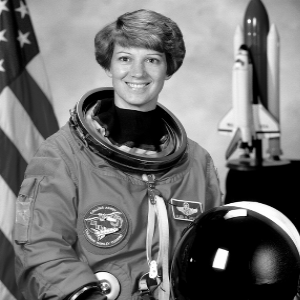
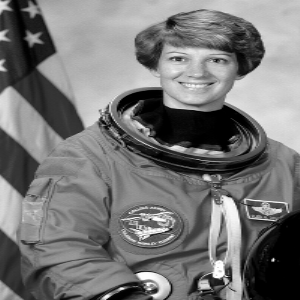
As a concrete example of the similarity category above,
dictk.image.stretch applies a
uniaxial stretch along the x-axis: the image's top-left corner (x=0, y=0)
stays fixed, and content grows away from it, using backward mapping with
bilinear interpolation so the result has no gaps (unlike naively moving
each source pixel forward, which can leave holes). The two stretches
below range from a small, realistic deformation (5%, similar in magnitude
to a modest tensile strain in a materials test) up to a much larger one
(50%).
import dictk
from dictk.image import stretch, write

photo = dictk.astronaut(width=300, height=300)
write(arr=photo, path="astronaut_stretch_original.png")

stretch_5pct = stretch(arr=photo, factor_x=1.05)
write(arr=stretch_5pct, path="astronaut_stretch_x_5pct.png")

stretch_50pct = stretch(arr=photo, factor_x=1.50)
write(arr=stretch_50pct, path="astronaut_stretch_x_50pct.png")
Saved: astronaut_stretch_original.png, astronaut_stretch_x_5pct.png, astronaut_stretch_x_50pct.png
 (a)
(a)
 (b)
(b)
 (c)
(c)
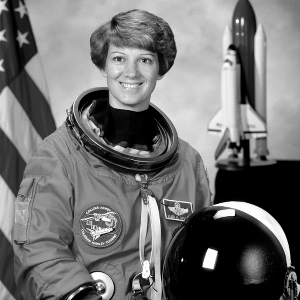
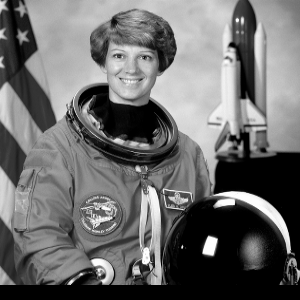
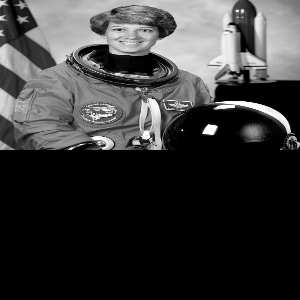
Y-Axis Stretch (Compression)
The same dictk.image.stretch
function compresses along the y-axis with factor_y < 1.0. Pivoting on
the origin means the top edge (y=0) stays fixed while content shrinks
toward it, leaving a black margin along the bottom — the mirror image of
the x-axis stretch case, where growth away from the origin never leaves a
gap.
import dictk
from dictk.image import stretch, write

photo = dictk.astronaut(width=300, height=300)
write(arr=photo, path="astronaut_compress_original.png")

compress_neg5pct = stretch(arr=photo, factor_y=0.95)
write(arr=compress_neg5pct, path="astronaut_compress_y_neg5pct.png")

compress_neg50pct = stretch(arr=photo, factor_y=0.50)
write(arr=compress_neg50pct, path="astronaut_compress_y_neg50pct.png")
Saved: astronaut_compress_original.png, astronaut_compress_y_neg5pct.png, astronaut_compress_y_neg50pct.png
 (a)
(a)
 (b)
(b)
 (c)
(c)
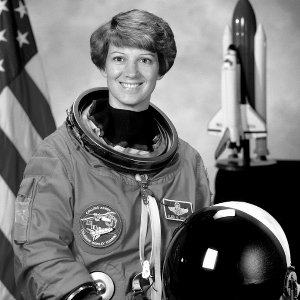
Simple Shear
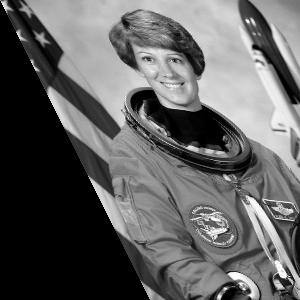
A shear deformation with γ = 0.5, where horizontal planes slide relative
to each other by an amount proportional to their y-coordinate — the
higher up a row of pixels, the further it shifts sideways.
dictk.image.shear pivots on the
image's top-left corner (0, 0), consistent with the other transform
functions in this codebase.
import dictk
from dictk.image import shear, write

photo = dictk.astronaut(width=300, height=300)
write(arr=photo, path="astronaut_shear_original.png")

sheared = shear(arr=photo, shear_x=0.5)
write(arr=sheared, path="astronaut_shear_x_0.5.png")
Saved: astronaut_shear_original.png, astronaut_shear_x_0.5.png
 (a)
(a)
 (b)
(b)
Complex Deformation
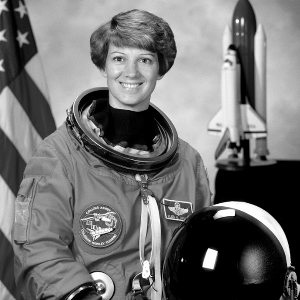
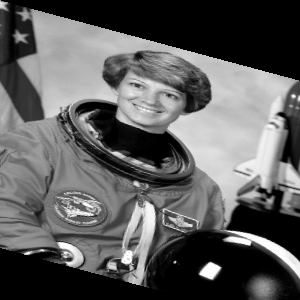
Combines rotation (15°) with anisotropic stretching (1.3x in x, 0.8x in
y) — realistic loading scenarios where materials experience multiple
simultaneous deformation modes, typically the hardest case for
correlation algorithms.
dictk.image.complex_deform
composes the two into a single deformation gradient (stretch applied
first, then rotation) and applies it in one backward-mapping pass, so
the result isn't blurred by interpolating twice as calling stretch
and then rotate separately would.
import dictk
from dictk.image import complex_deform, write

photo = dictk.astronaut(width=300, height=300)
write(arr=photo, path="astronaut_complex_original.png")

combined = complex_deform(arr=photo, factor_x=1.3, factor_y=0.8, angle=15.0)
write(arr=combined, path="astronaut_complex_deform.png")
Saved: astronaut_complex_original.png, astronaut_complex_deform.png
 (a)
(a)
 (b)
(b)
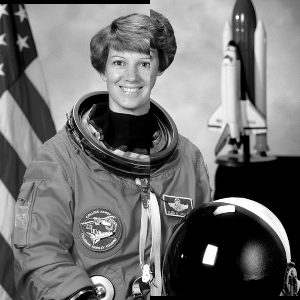
Crack Dislocation
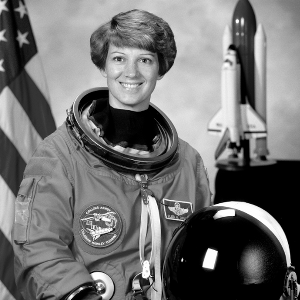
A vertical crack splits the image at x = width/2: the left half shifts down 4 pixels and the right half shifts up 4 pixels, producing a displacement field that jumps discontinuously across the crack line — unlike every other example on this page, which deforms smoothly. Standard DIC assumes smooth displacements and cannot capture this jump; cases like this motivate the Heaviside finite-element formulation.
dictk's own y-axis points down the page, not up (see Multi-Point
Motion for this
same sign convention). So +4 here means the left half shifts down.
-4 means the right half shifts up.
import dictk
from dictk.image import crack_dislocation, write

photo = dictk.astronaut(width=300, height=300)
write(arr=photo, path="astronaut_crack_plain_original.png")

cracked_plain = crack_dislocation(arr=photo, offset=4.0)
write(arr=cracked_plain, path="astronaut_crack_plain_dislocation.png")
Saved: astronaut_crack_plain_original.png, astronaut_crack_plain_dislocation.png
 (a)
(a)
 (b)
(b)